Technical Support Automatic Cl-pH
On this page, you will find all the technical documentation, tutorials and useful links for the installation, commissioning and after-sales service of the Automatic Cl‑pH.
User manual
Tutorials and useful links


Frequently Asked Questions
-
All spare parts for the Automatic Cl‑pH are available here.
-
You can view BAYROL TECHNIK’s warranty policy in the download centre at the bottom of this page.
-
To set up remote access for your Automatic, you can follow the video: WATCH THE VIDEO
-
To ensure your device continues to perform optimally, the pH probe should be calibrated if the displayed value differs from the measurement in the pool.
To do this, go to the “pH calibration” menu and follow the instructions.
Two methods are available:“Pool value”: with this method, the pH is measured in the pool using a photometer and compared with the probe signal. This is the most accurate method.
“pH 7 buffer solution”: with this method, a buffer solution with a known pH of 7 is used. This method is less accurate, but it has the advantage of not requiring a photometer. -
For your device to inject the correct amount of chlorine, the redox setpoint must be properly adjusted.
First, ensure that the pool water parameters are correctly set:- Total alkalinity (TAC): minimum 80 mg/l
- pH: 7.0 – 7.4
- Indoor pools: chlorine level (DPD1): 0.8 – 1.2 mg/l
- Outdoor pools: stabiliser 30–50 mg/l, chlorine level (DPD1): 1.5 – 3 mg/l
If necessary, manually adjust these parameters using the appropriate treatment products. Then start your device while stopping the chlorine injection. After a few minutes, the redox probe reading (in mV) will stabilise.
Record the value measured by the probe and enter it as the new setpoint. -
To keep your device in perfect working condition, it is recommended to carry out the following tasks:
Weekly checks
- Ensure your filtration system is in perfect working order.
- Check the pH and chlorine levels, preferably using the BAYROL Technik Electronic Pooltester.
- Visually inspect the installation for any leaks in all components, lines and pipes.
Annual maintenance
- Replace the pH probe and calibrate it using pool water.
- Replace the redox probe and adjust the correct mV setpoint. Make sure the chlorine level in the pool water is at the desired level.
- Replace the peristaltic tubes of the dosing pumps.
- Check the injection lances, suction and discharge hoses for pH corrective product and liquid chlorine, and replace them if necessary.
-
In case of active winterisation
The pool filtration system remains in operation.
- Stop the filtration pump.
- Rinse the dosing pump pipes with clean water (see “Special functions” menu).
- Empty all dosing pump pipes.
- Remove the probes from their holders and store them in their container, preferably filled with saturated KCl solution or clean pool water. Store the probes in a cool, dry place, protected from frost.
- Insert ½" plugs in place of the probe holders.
- Store the containers of pH‑Minus Liquid Domestic or pH‑Plus Liquid and Chloriliquid in a cool, dry place.
In case of passive winterisation
The pool filtration system is switched off.
- Stop the filtration pump.
- Rinse the dosing pump pipes with clean water (see “Special functions” menu).
- Empty all dosing pump pipes.
- Close and drain the filtration system. Ensure that the entire pool circulation system is drained as much as possible. Refer to your installer’s instructions.
- Remove the probes from their holders and store them in their container, preferably filled with saturated KCl solution or clean pool water. Store the probes in a cool, dry place, protected from frost.
- Store the containers of pH‑Minus Liquid Domestic or pH‑Plus Liquid and Chloriliquid in a cool, dry place.
-
A software update for your device is required. To do this, please download the latest version below and follow the instructions provided in the update manual.
Download centre
Support for PRIVATE POOL OWNERS
Are you a private pool owner looking for information? Contact us via our form: bayrol.com/contact
Support for PROFESSIONNALS
The following services and tools are reserved for BAYROL retailers. Please always provide your BAYROL customer account number when contacting our technical support.
Support for PROFESSIONNALS
-
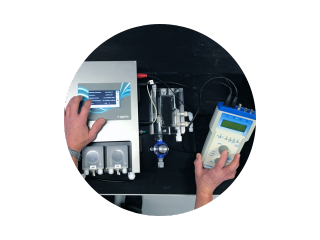
BAYROL Technik After-Sales Support Hotline
Please contact your sales representative or refer to our catalogue on page 3 to find the direct hotline number for BAYROL Technik after-sales support.
-
BAYROL Technik After Sales - Open a ticket
Request the creation of an after-sales service (Aftersales/Service) ticket and track its progress ticket.bayroltechnik.com
-
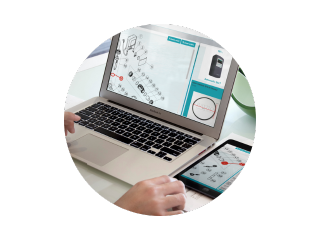
Interactive spare parts catalogue
Find a BAYROL Technik spare part in just one click: pieces.bayroltechnik.com
-
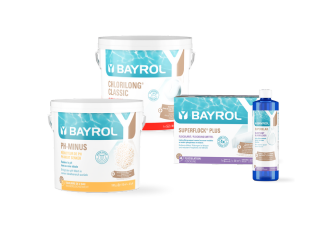
Webshop
Order online via the BAYROL Webshop, an intuitive and user-friendly tool dedicated to replenishment orders: shop.bayrol.fr


